


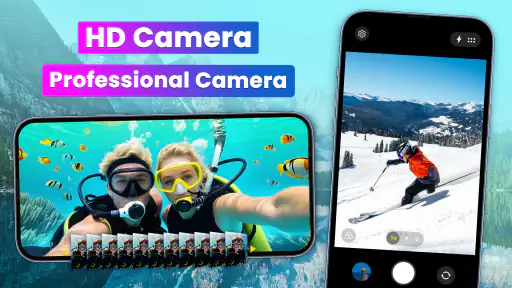
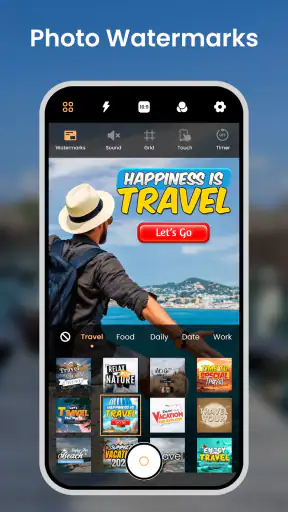
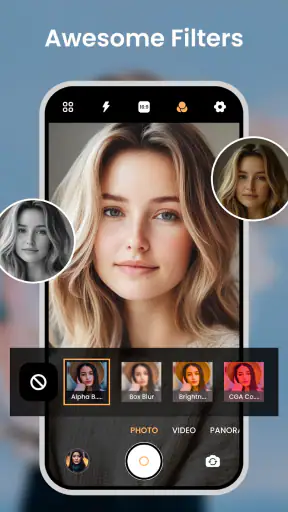
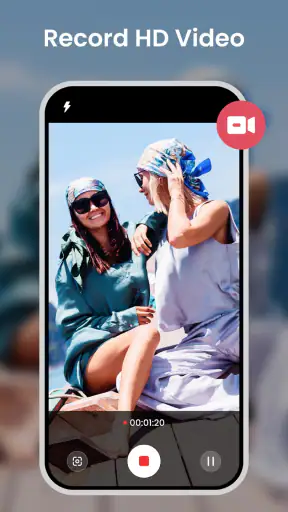
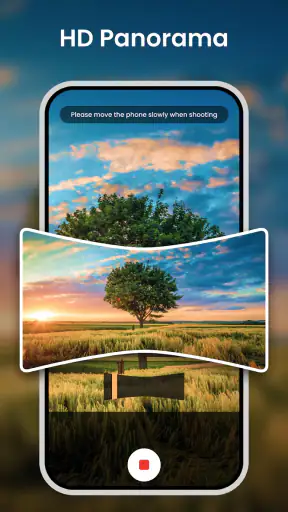
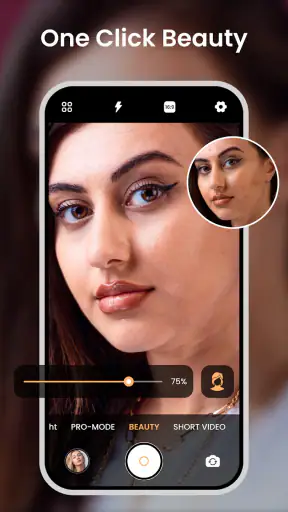
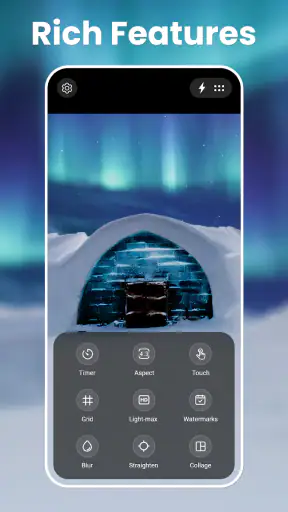
I came away from Camera for Android: HD Camera with a fairly clear impression: it is most useful when I want a faster, less complicated way to take everyday photos, rather than a replacement for a phone’s complete camera system. That distinction matters. The app sits in the photography category, comes from Mobile Minds Dev, and focuses on getting me from opening the camera to capturing an image without making me work through a crowded interface.
Its appeal is easy to understand. It is free to download, suitable for Everyone, and built for Android devices running version 6.0 or later. The app has been available since October 9, 2014, and its current version is 2.2.8. With an average rating of 4.7 from around 53 thousand ratings and over 5 million installs, it has clearly found an audience among people who want a straightforward camera alternative.
My overall view is positive, but not uncritical. The app’s greatest strength is convenience: it brings together ordinary photography, selfie shooting, video capture, and filters in one uncomplicated place. Its weakness is that simplicity can also mean fewer controls for people who want to fine-tune exposure, focus, color, or recording behavior. I would recommend it to casual photographers and anyone frustrated by a slow or cluttered default camera, while more demanding mobile photographers should compare it carefully with the camera already built into their phone.
What using the camera feels like in everyday situations
The first thing I notice with an app like this is not a headline feature but the rhythm of use. A camera app earns its place when I can open it, frame the subject, choose the basic mode I need, and shoot before the moment disappears. Camera for Android: HD Camera is designed around that kind of quick interaction. It does not ask me to think like a photographer before I take a picture.
That makes it especially practical for ordinary scenes: a quick photo of a receipt, a snapshot of something I want to remember in a shop, a group picture at a café, or a short video of a child’s performance. In those situations, I usually care more about speed and a familiar layout than about manual control. The app’s emphasis on HD capture gives the experience a more purposeful feel than a barebones camera shortcut, while the filter tools make it possible to give a photo some character without opening a second editor.
One realistic use case is a small event where I am moving between photos and video. I can use the same app to take still images, switch to a selfie when someone asks me to join the frame, and record a clip without changing my overall workflow. That continuity is more valuable than it sounds. The less often I jump between separate tools, the less likely I am to miss a moment or forget which app contains a particular setting.
The app also makes sense for people who find a manufacturer’s camera interface overwhelming. Modern phone cameras often combine portrait effects, night modes, artificial intelligence tools, lenses, editing shortcuts, and social sharing options. Those additions can be useful, but they can also push the basic shutter experience out of sight. This app takes a simpler route, and that can feel refreshing when I only want to take a normal picture.
The real benefit is reduced friction, not professional control. I would not choose it because I expect it to transform the physical camera hardware in my phone. Image quality still depends heavily on the device, its lens, its sensor, and the available light. What the app can change is how quickly and comfortably I reach the capture process.
Filters are most useful before the picture, not after a long editing session
The filter support is a good fit for casual sharing. If I already know that I want a warmer, darker, or more stylized look, applying an effect while composing can help me judge the mood before pressing the shutter. That is different from taking a plain image and trying to rescue it later in an editor.
There is a trade-off, though. A live filter can influence how I judge brightness and skin tones on the preview. For important photos, I prefer to capture a clean-looking image first and make creative decisions afterward. For quick social pictures or playful selfies, the immediate preview is more convenient. My advice is to treat filters as a framing aid for informal shots, not as a substitute for keeping an original version when the image matters.
This is also where the app’s simple approach works better than a heavy editing suite. I do not need to import an image, search through adjustment panels, and export another copy just to add a little visual personality. The shortcut is useful when speed matters. It is less suitable when I want precise control over individual colors, shadows, highlights, or local corrections.
Selfies and video make the app more than a basic shutter
The selfie mode gives the app a broader everyday role. I can imagine using it for a quick profile picture, a family snapshot where I am also in the frame, or a spontaneous message recorded with the front camera. The important point is not that it offers a specialized studio experience; it is that the front-facing camera belongs to the same simple workflow as the rear camera.
Video capture follows the same logic. For short clips, the convenience of staying in one camera app is a genuine advantage. I would use it for a quick travel memory, a demonstration of something happening in front of me, or a casual clip that does not need elaborate production. The app is easier to justify when my needs move between stills, selfies, and short videos throughout the day.
At the same time, I would not choose it for a serious recording project without first checking how well its controls match my needs. A dedicated video camera app is usually a better choice when I need detailed audio control, manual exposure, specialized stabilization options, or a carefully repeatable setup. Camera for Android: HD Camera is aimed more at immediate capture than at a controlled production workflow.
Where it performs well, and where the simplicity starts to show
The strongest evidence in its favor is the combination of breadth and accessibility. It covers the main situations many people encounter: regular photos, HD selfies, videos, and live filters. That is enough to make it a practical daily camera rather than a single-purpose novelty. I also appreciate that the app’s identity is easy to understand. I do not have to learn a complicated photography system to benefit from it.
Its long availability and broad adoption add some reassurance for users who prefer an established app. The rating of 4.7 and approximately 1.8 thousand written reviews suggest that many people have taken the time to respond to the experience, rather than merely installing it once. I do not treat those numbers as proof that it will suit every phone, but they do make the app easier to consider than an unknown camera tool.
Another practical strength is the low entry cost. The app is free, so I can test its handling on my own device before deciding whether it fits my routine. There are in-app purchases ranging from $2.99 to $9.99 per item, which means the free starting point does not necessarily represent the complete experience. I would explore the basic camera workflow first and only consider spending money if a paid option solves a problem I actually have.
That approach is important because camera apps can feel very different across Android devices. The phone’s hardware, operating system behavior, and manufacturer software can affect launch speed, image processing, focus behavior, and video results. I would not assume that the same experience will appear on every compatible handset simply because the minimum operating system is supported.
The meaningful limitation is the gap between a simple interface and the expectations created by the word “HD.” Higher-definition capture does not automatically mean better photos in dim light, more natural skin tones, faster focus, or stronger motion handling. If the phone’s sensor struggles in a dark room, an app cannot completely remove that physical limitation. I see the HD emphasis as useful for presenting the app as a capable everyday camera, but I would judge results in real lighting rather than by the label alone.
For the same reason, the app may feel restrictive to anyone who normally adjusts shutter speed, ISO, white balance, focus distance, or exposure compensation. I would miss those controls when photographing a bright window, a moving subject, or a scene where the phone’s automatic exposure makes the background too light or the subject too dark. A manual camera application or the manufacturer’s advanced camera mode would be better in those cases.
There is also a workflow trade-off around filters. They make casual shooting more enjoyable, but they can encourage me to commit to a look before I have considered whether I will want a neutral image later. I would be cautious with strong effects when taking family photos, documents, or anything I may want to reuse. For those, a clean capture is usually the safer starting point.
How it compares with the camera already on an Android phone
The default camera has one major advantage: it is usually tuned for the particular phone. It may make better use of the device’s lenses, image processing, stabilization, and built-in shooting modes. If my phone’s camera opens quickly and gives me the quality I want, replacing it may not produce a dramatic improvement.
Camera for Android: HD Camera becomes more attractive when the default app feels cluttered, slow, inconsistent, or inconvenient for quick shooting. Its simpler purpose can make it easier to hand to another person, easier to use for a fast selfie, or more comfortable for someone who does not want a long row of modes. I see it as an alternative interface first and a quality upgrade only in situations where the original camera app is getting in my way.
Compared with a dedicated manual camera app, this one is more approachable but less ambitious. A specialist tool is preferable for controlled photography, repeatable settings, and difficult lighting. Compared with a social camera built mainly around sharing and effects, this app feels more like a general camera that happens to include filters, selfies, and video. That balance is its most convincing position.
Small habits that make the app more useful
I would begin by testing the app in three different conditions: bright outdoor light, an indoor room, and a moving scene. That quick comparison tells me whether its automatic behavior suits my phone. It is more informative than judging it from a single attractive picture taken in good light.
For everyday documentation, I would use the plainest available look and reserve filters for images intended to be expressive. This keeps the camera useful for practical records while still taking advantage of its creative side. I would also switch between the rear and front cameras before an important moment, rather than waiting until the group is ready. That avoids the awkward pause of searching for the correct view when everyone is already posing.
When recording video, I would keep clips short unless I had already confirmed that the app and phone combination handles longer recording comfortably. Short clips are where the app’s quick-access design makes the most sense. For a planned video, I would take a test clip first and check framing, sound, and movement before recording the final version.
One less obvious trade-off is that a single app for photos, selfies, filters, and video can simplify my routine while also making organization more important. I would review the resulting images periodically and remove failed shots, duplicate selfies, and test clips. The convenience of capturing everything in one place is helpful, but it can also create a less tidy gallery if I never sort it.
Who should install it, and who should look elsewhere?
I think this app is a good fit for someone who wants a straightforward camera without committing to a complicated photography setup. It suits casual users, families, students, travelers, and anyone who often takes quick photos but finds the built-in camera distracting. It is also a sensible option for a person who wants filters available during shooting instead of opening a separate editor every time.
It may be particularly useful on a shared or secondary Android device. If I lend a phone to someone who only needs the basic camera functions, a clear alternative interface can be easier to explain than a manufacturer app filled with unfamiliar modes. The Everyone content rating also makes it broadly approachable for general household use.
I would be more cautious about recommending it to a photographer who expects consistent manual control. If my normal routine includes carefully balancing a bright sky against a darker foreground, freezing fast action, matching color across several shots, or recording video with deliberate technical settings, I would start with a more advanced camera. The same applies if my phone’s default app already offers excellent hardware-specific processing and I am satisfied with its speed.
People who dislike in-app purchases should also decide how much the free version meets their needs before becoming attached to a particular workflow. The app costs nothing to start, but optional purchases between $2.99 and $9.99 per item can change the value calculation. I would not pay automatically just because the app is convenient; I would first identify whether the paid feature improves a repeated task enough to justify it.
For an older compatible phone, expectations should stay realistic. Android 6.0 or later is enough to meet the stated software requirement, but age and hardware still influence camera performance. A newer phone may deliver better results through its sensor and processing even when both devices run the same camera app. In other words, this application can improve the capture experience, but it cannot turn an older camera into a modern flagship camera.
My final take after using it as an everyday camera
Camera for Android: HD Camera succeeds because it keeps its purpose understandable. I can use it for ordinary photos, selfies, videos, and quick visual effects without treating every shot like a technical project. That makes it a friendly choice for people who value speed and a clean routine more than a deep menu of controls.
Its limitations are equally clear. The app is not the best answer for manual photography, carefully managed video, or situations where the phone’s original camera makes better use of specialized hardware. Filters are convenient but deserve restraint, and the free download still includes optional purchases that should be evaluated rather than assumed to be necessary.
My recommendation is specific: install it if your current camera experience feels unnecessarily complicated or if you want one uncomplicated place for quick photos, selfies, short videos, and live effects. Test it in the lighting and situations you actually photograph, then compare the results with your default camera. If you want a technical toolkit, choose something more advanced. If you want a dependable, approachable shortcut for daily shooting, this app is worth trying.
Mobile Minds Dev has made a camera app that is easiest to appreciate when I stop expecting it to do everything. Used as a fast, general-purpose photography tool, it is practical and pleasant. Used as a professional camera replacement, it is likely to feel too limited. For the right audience, that simplicity is not a missing feature; it is the reason the app works.


